How to Use "TRY ON YOU"
A simple, elegant, and personal way to shop. See how your jewellery looks before you buy.
Virtually preview selected jewellery on your own photo with our exclusive "TRY ON YOU" feature. Say goodbye to guesswork and hello to a tailored shopping experience right from the comfort of your home.
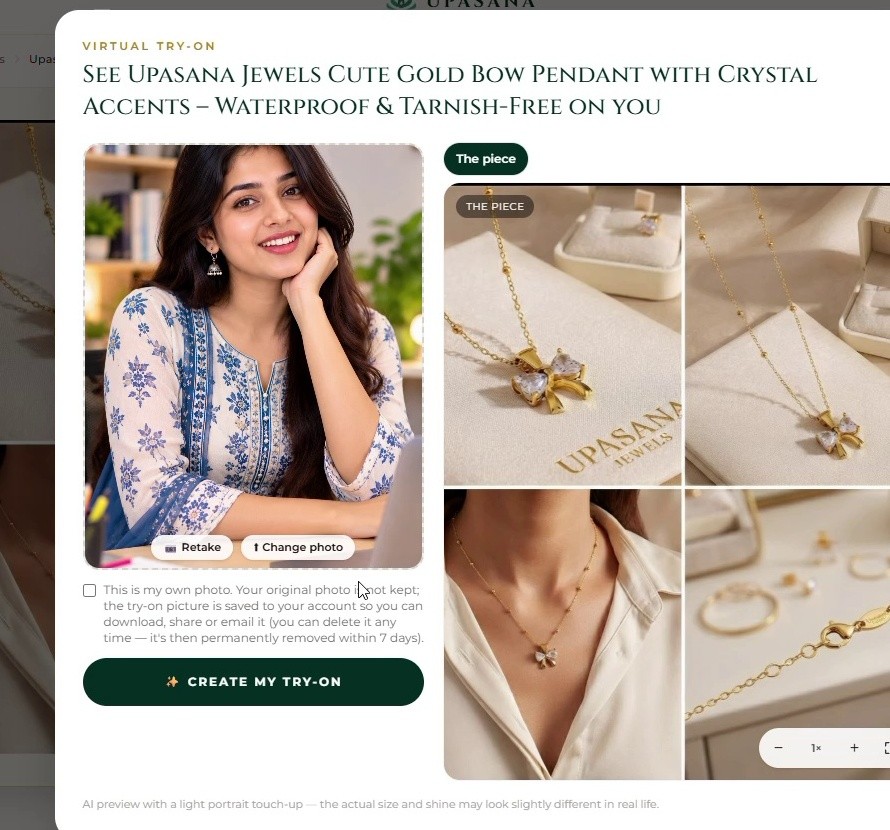
Create Your Personalised Preview
Follow the steps below to create your personalised jewellery preview. The option appears on products where Virtual Try-On is available.
Open a Jewellery Product
Visit the Upasana Jewels website and open a jewellery product that supports the Virtual Try-On feature.
Click "TRY ON YOU"
On the product page, select the "TRY ON YOU" button. The Virtual Try-On window will open.
Select Your Photo
Choose a clear photo from your device. For necklaces and pendants, a photo showing your face and neck clearly is recommended.
Check Your Photo
Review the selected photo. If you want to use another image, choose "Change photo" and select a different picture. You can also use "Retake" when available.
Create Your Try-On
When your photo is ready, click "CREATE MY TRY-ON". The system will process the image and generate your preview.
See Your Try-On Result
Once processing is complete, your result appears in the Virtual Try-On window. You can view the jewellery on your photo and use the available actions below the result.
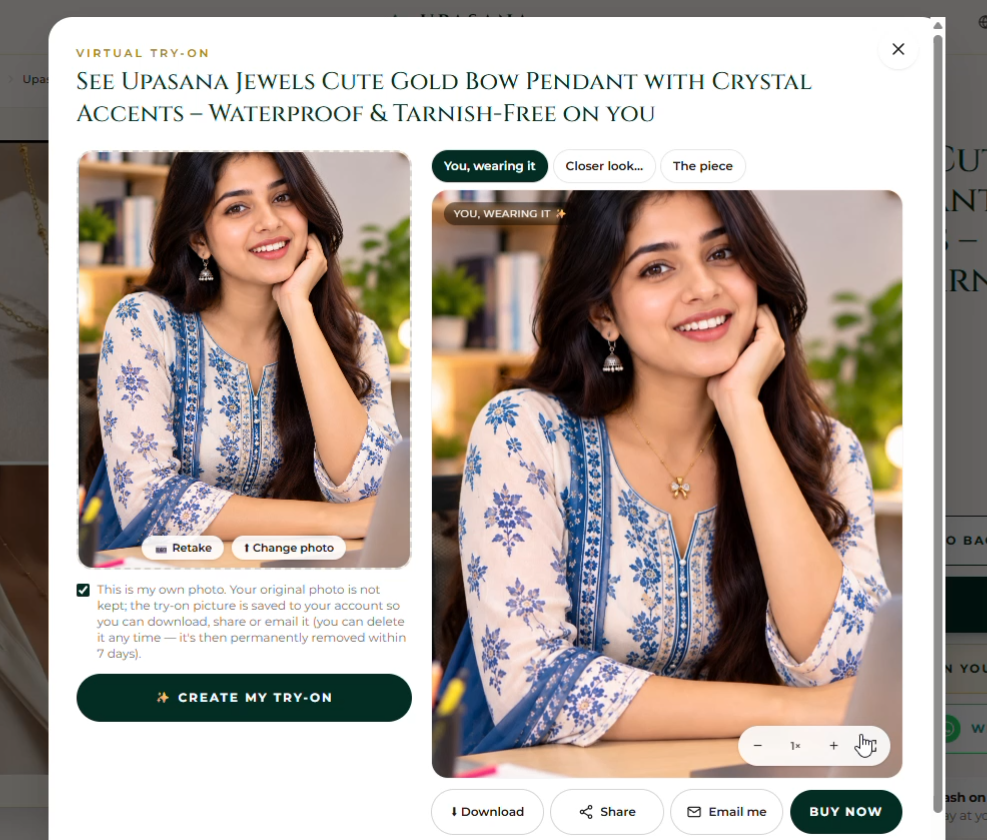
DOWNLOAD
Save your try-on result securely to your device.
SHARE & EMAIL
Share the preview with friends or send the result by email.
BUY NOW
Love the look? Continue directly to the product purchase.
Tips for a Better Try-On
- Use a clear, high-quality photo.
- Choose good lighting so your face and neck are easy to see.
- For necklaces and pendants, keep the neck area visible.
- Avoid very dark, blurry, or heavily edited photos.
- If the first result is not suitable, simply try another photo.
Please Note
The Virtual Try-On is a visual preview. The final appearance may vary depending on the uploaded photo, lighting, angle, image quality, and jewellery design.
For offline reference, you can download the official manual:
Upasana_Jewels_Try_On_You_Theme_Guide_Final.pdf